Dependency Injection (DI) is the backbone of modern software architecture. It promotes loose coupling, enhances testability, and is a foundational pillar of Clean Architecture. However, when an application scales, the DI container often transforms from an elegant object-wiring mechanism into a bloated, memory-hogging bottleneck.
If your application suffers from sluggish startup times, high memory consumption, or unpredictable garbage collection spikes, your DI container might be the silent culprit.
In this comprehensive guide, we will explore how refactoring Dependency Injection can drastically improve application performance. We will dive into the hidden costs of massive object graphs, strategies for optimizing service lifetimes, and the technical refactoring steps necessary to turn a sprawling, legacy-laden DI container into a lean, performant engine.
The Hidden Cost of Dependency Injection
Modern frameworks—particularly in the .NET ecosystem—make DI incredibly easy to use. With a simple services.AddTransient<IService, Service>(), you have registered a dependency. Because it is so effortless, developers tend to inject everything everywhere.
While this is architecturally sound, it comes with hidden performance costs:
-
Startup Latency: Dynamically scanning assemblies and building massive service collections takes time.
-
Object Graph Allocation: Instantiating a single controller or service might trigger a cascade of hundreds of object allocations.
-
Garbage Collection Pressure: Highly nested transient dependencies create thousands of short-lived objects that the Garbage Collector (GC) must constantly clean up.
-
Captive Dependencies: Mismanaging service lifetimes can lead to severe memory leaks and concurrency bugs.
When dealing with a sprawling ecosystem—such as a massive modernization effort involving 20 different solutions and over 100 interconnected projects transitioning away from legacy paradigms—the DI container easily becomes a dumping ground. Decades of business logic get ported over, interfaces multiply, and before you know it, the application takes minutes to start, and memory usage spikes on every request.
Step 1: Auditing the Existing DI Architecture
Before writing any code, it is critical to audit the current state of the DI container. Performance degradation usually stems from a few specific anti-patterns.
Identifying the “God Services”
In older codebases, or applications that have grown organically, you will frequently find “God Services.” These are massive classes that depend on dozens of other services, repositories, and configurations. Every time one of these services is requested, the DI framework must traverse and resolve a massive dependency tree.
Benchmarking the Baseline
You cannot improve what you cannot measure. Use profiling tools (like dotMemory, dotTrace, or standard application performance monitoring) to capture:
-
Application Startup Time: How long does it take for the host builder to configure services and open the first port or render the first UI screen?
-
Per-Request Allocation: How much memory is allocated simply to resolve the dependencies for a single API endpoint or view model?
Step 2: Fixing Service Lifetimes and Captive Dependencies
The most impactful performance gains often come from correcting poorly configured service lifetimes: Transient, Scoped, and Singleton.
Escaping the Transient Trap
Transient services are created every single time they are requested. If you have a Transient service that is injected into five different classes during a single request, the framework creates five separate instances.
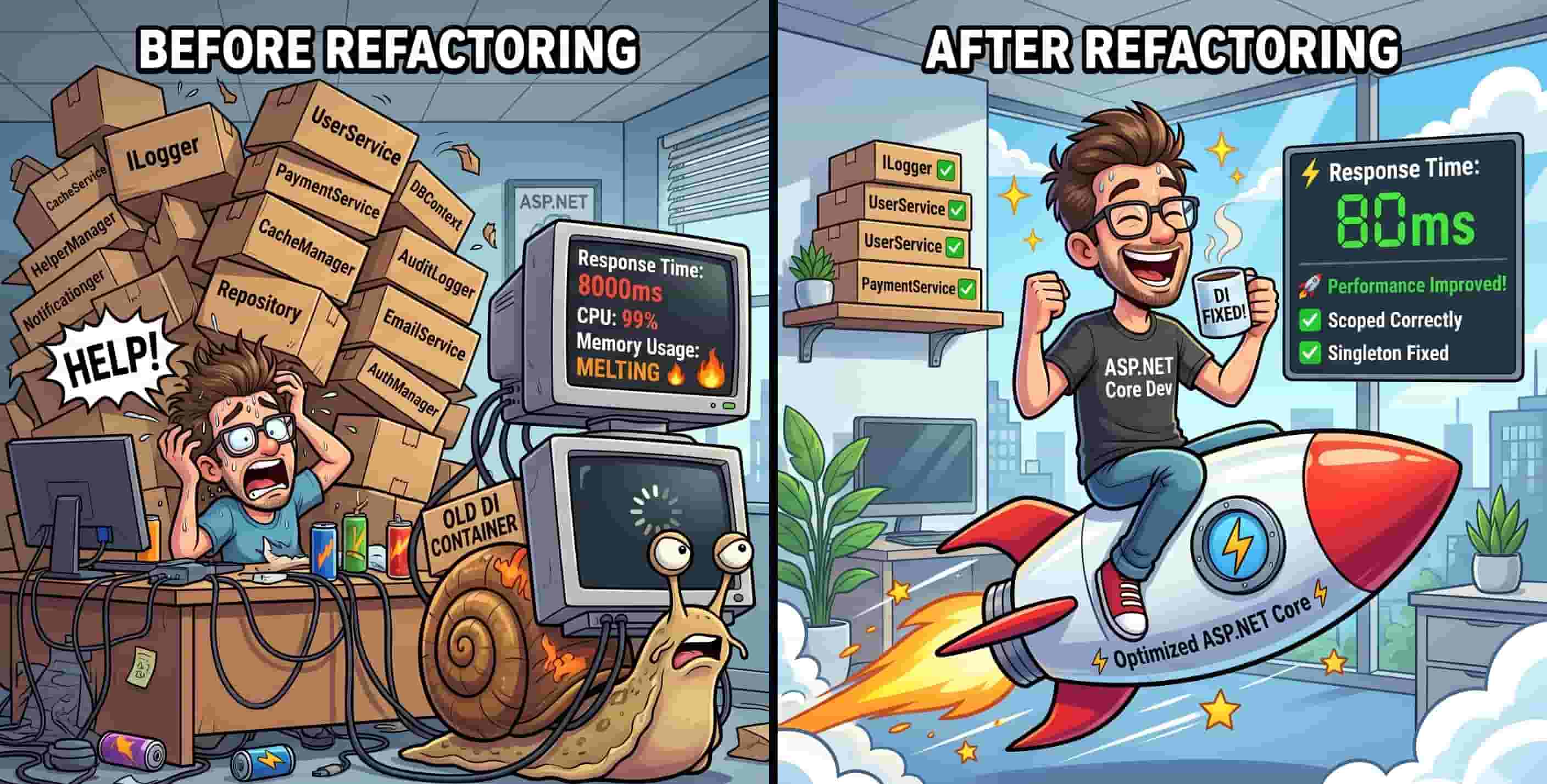
The Fix: We audited our transient services and found that many were completely stateless. A stateless service does not need to be instantiated multiple times. By changing these stateless utility services from Transient to Singleton, we bypassed thousands of unnecessary object allocations per minute, massively reducing GC pressure.
Eradicating Captive Dependencies
A captive dependency occurs when a service with a longer lifetime holds onto a service with a shorter lifetime. For example, injecting a Transient database context into a Singleton cache manager. The Transient service is now trapped inside the Singleton, essentially turning it into a singleton as well, which can lead to severe memory leaks and thread-safety crashes.
The Fix: Modern DI containers (like .NET 8 and beyond) have built-in scope validation. Enabling ValidateScopes = true during development immediately throws exceptions when captive dependencies are detected. Resolving these forces a cleaner, safer architecture.
Step 3: Implementing Lazy Loading for Heavy Dependencies
Not every service injected into a class is used in every method invocation. If a controller has ten endpoints, but only one endpoint uses the heavy IReportGeneratorService, injecting that service into the constructor means paying the performance tax 100% of the time, even when it isn’t needed.
Utilizing Lazy<T>
To defer the instantiation of expensive services until the exact moment they are invoked, we refactored heavy dependencies to use Lazy<T>.
public class OrderProcessor
{
    private readonly Lazy<IHeavyCalculationService> _calculator;

    public OrderProcessor(Lazy<IHeavyCalculationService> calculator)
    {
        _calculator = calculator;
    }

    public void ProcessSimpleOrder()
    {
        // _calculator is NEVER instantiated here. Zero performance cost.
    }

    public void ProcessComplexOrder()
    {
        // Instantiated only when Value is accessed.
        var result = _calculator.Value.Calculate();
    }
}
By wrapping heavy dependencies in Lazy<T>, we trimmed down the initial object graph. The DI container only builds what is strictly necessary for the current execution path, leading to substantially faster response times.
Step 4: Optimizing Registration and Startup
In large architectures, developers often use assembly scanning (via libraries like Scrutor) to automatically register all interfaces to their implementations. While this is great for developer productivity, reflection-based scanning is notoriously slow.
Moving Away from Reflection
When deploying APIs to lightweight Linux environments or trying to optimize container startup times, heavy reflection is a major bottleneck.
The Fix: We transitioned away from runtime assembly scanning in favor of explicit registrations or compile-time Source Generators. While explicit registration requires slightly more boilerplate, it completely eliminates the runtime cost of scanning DLLs.
For modern .NET environments, utilizing the Interceptor pattern and compile-time DI generation (such as the features introduced in newer .NET SDKs) ensures that the dependency graph is mapped out during the build process, not at runtime.
Step 5: Interface Segregation and Factory Patterns
Bloated DI graphs are often a symptom of bloated domain logic. If a service requires 15 dependencies, the problem isn’t the DI container; the problem is the service itself.
Applying the Interface Segregation Principle (ISP)
We broke down massive “God Interfaces” into smaller, highly focused interfaces. Instead of an IApplicationSettings interface that injected the entire configuration tree into every class, we injected only the specific configuration options needed (e.g., IOptions<EmailSettings>). This narrowed the scope of what the DI container had to resolve.
Using Service Factories
For workflows that required dynamic resolution based on runtime parameters (like resolving a different payment gateway based on user input), we stopped injecting all possible implementations into the constructor.
Instead, we implemented the Factory Pattern:
public delegate IPaymentGateway PaymentGatewayFactory(string gatewayType);
By registering a factory delegate in the DI container, we only instantiating the specific payment gateway required by the business logic at runtime, rather than building all of them “just in case.”
Measuring the Impact
The results of meticulously refactoring our Dependency Injection strategy were immediately noticeable:
-
Faster Startup: Application startup time dropped by nearly 40%. Bypassing reflection and assembly scanning meant the host builder could spin up in milliseconds rather than seconds.
-
Reduced Memory Footprint: By converting stateless
Transientservices toSingletonand utilizingLazy<T>, base memory consumption plummeted. -
Smoother Performance: With fewer objects being allocated per request, the Garbage Collector ran less frequently and executed faster. This eliminated the micro-stutters and CPU spikes that had previously plagued high-traffic endpoints.
Best Practices for a Performant DI Container
If you are looking to optimize your own application, keep these core principles in mind:
-
Prefer Singletons for Stateless Services: If a class holds no state and only contains business logic, it should be a Singleton.
-
Turn on Scope Validation: Always validate scopes during development to catch memory leaks and captive dependencies early.
-
Beware of Constructor Over-Injection: If a constructor has more than 5-7 dependencies, it is a code smell. Refactor the class to adhere to the Single Responsibility Principle.
-
Use
IOptionsSnapshotvsIOptionsMonitorCarefully: Configuration injection can be expensive. Understand the difference between caching configuration and reading it from the disk on every request. -
Profile Regularly: Treat your DI container like a database query. Profile it, look for N+1 allocation problems, and optimize the bottlenecks.
Conclusion
Dependency Injection is a powerful tool, but it is not magic. In large-scale, complex applications, treating the DI container as an infinite resource will inevitably lead to performance degradation.
By auditing service lifetimes, eliminating captive dependencies, embracing lazy loading, and respecting the Interface Segregation Principle, you can drastically reduce memory allocation and CPU overhead. Refactoring Dependency Injection isn’t just about cleaning up code—it is a foundational step in building fast, scalable, and resilient software architectures.


Javier is Content Specialist and also .NET developer. He writes helpful guides and articles, assist with other marketing and .NET community work